
Manage online store orders and shipping
See what has been paid, what needs packing, and what is on its way. Order and delivery information stay together in the same workflow.
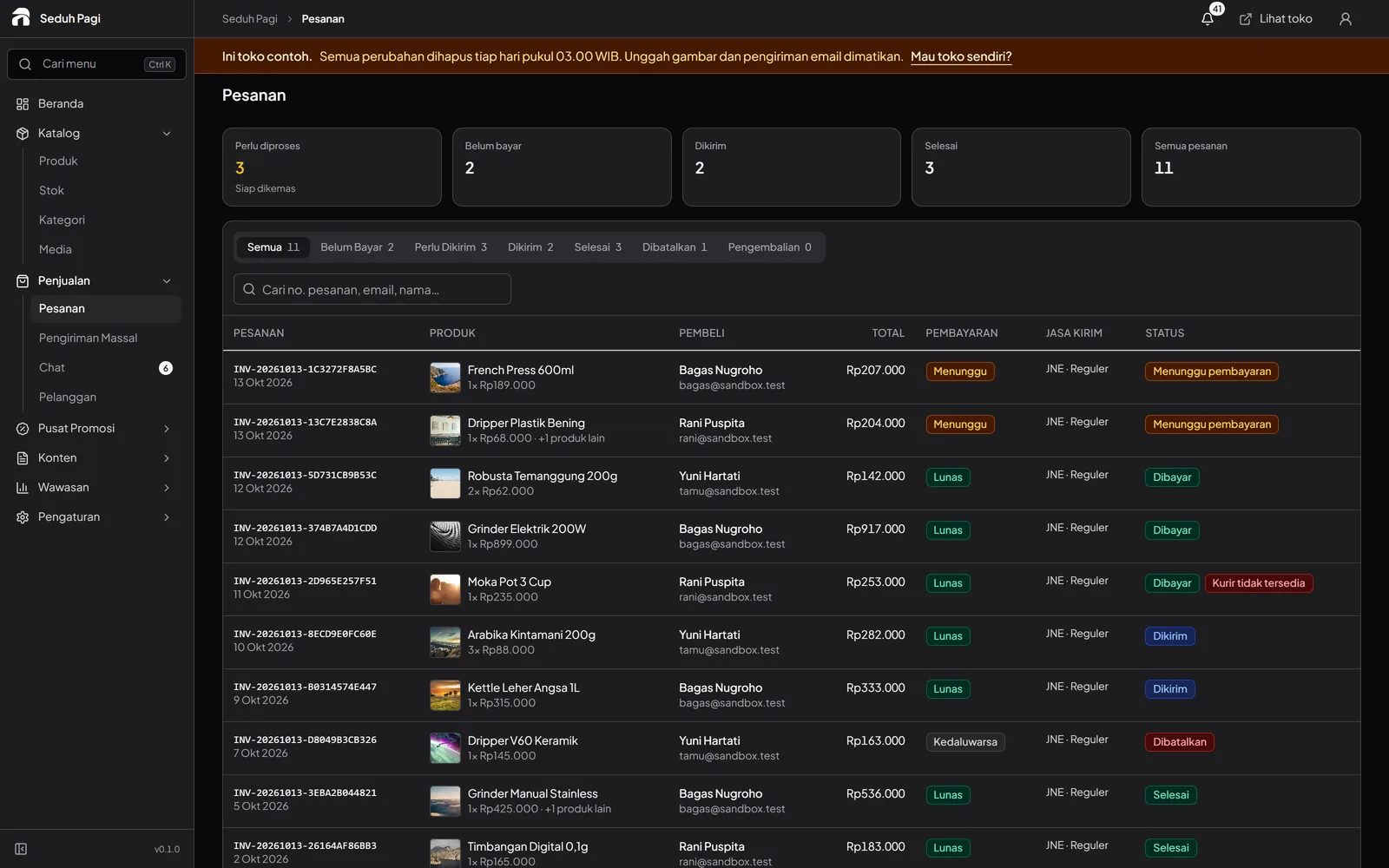
Follow an order from payment to dispatch.
The order list shows statuses that help your team choose the next action. A received payment updates the order. Orders that pass the payment deadline are cancelled and their reserved stock is released.
Choose a courier for the delivery.
The system supports JNE, SiCepat, J&T Express, AnterAja, GoSend, GrabExpress, TIKI, POS Indonesia, Ninja Xpress, Lion Parcel, Paxel, Lalamove, and Borzo. Available services depend on provider activation, store settings, addresses, and coverage.
- Instant couriers require pickup and delivery map pins
- Shipping and insurance follow the selected service's quote
Book deliveries and print labels in batches.
Select ready orders for bulk courier booking. Print up to 50 labels at once in 10 × 15 cm thermal or A4 format. Labels include the order identity, barcode, and courier information.
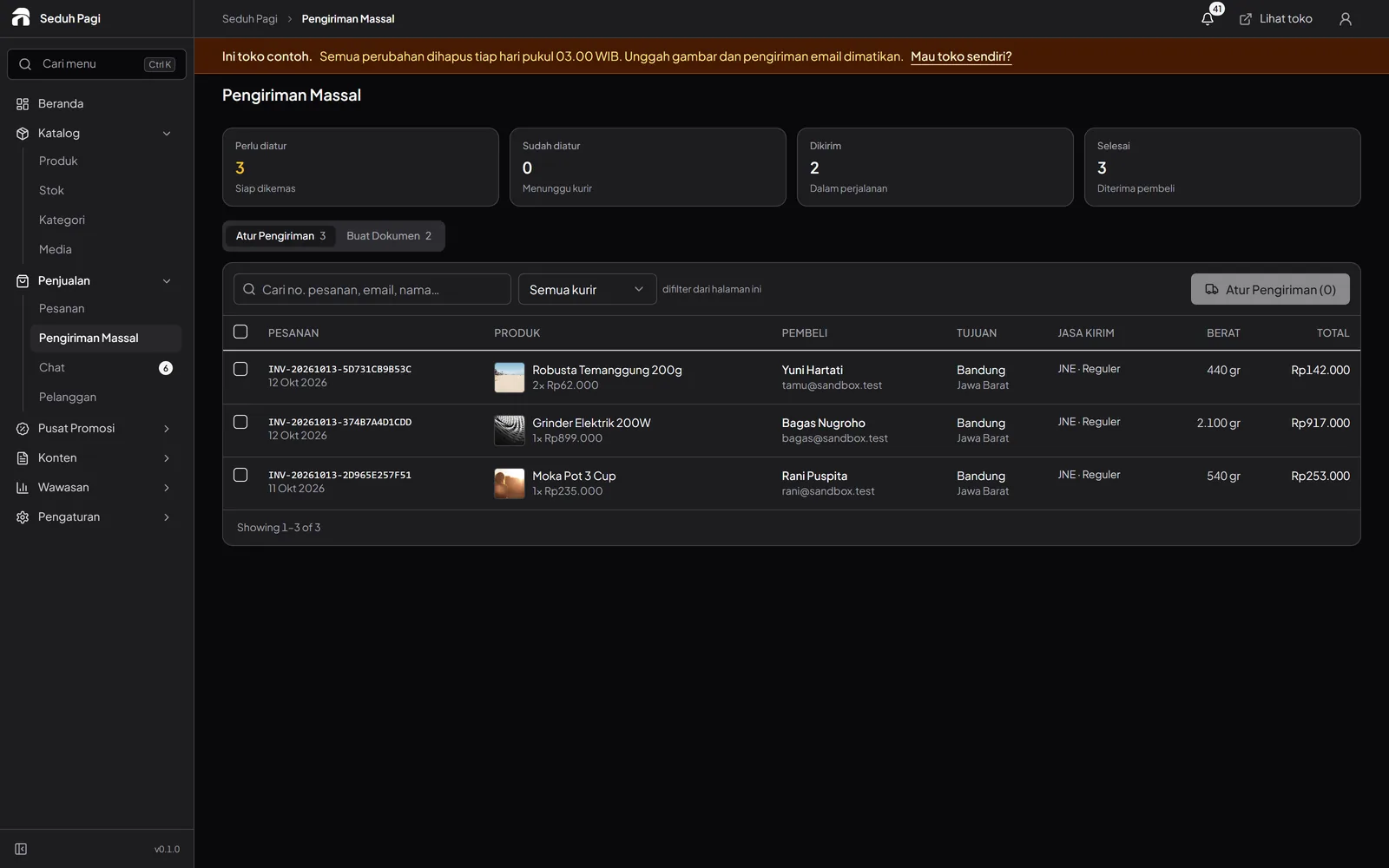
Keep the history when delivery plans change.
Rebook a cancelled pickup without creating a new order. Previous shipping attempts remain recorded. Courier reweighing adjustments appear on the order and are accounted for in the next settlement.
Explore payment handlingSee the store.
Try running it.
Explore the buyer's storefront and the seller's admin, then tell us what your store needs.