
Sales, customer, and inventory reports
Use your store's orders to decide what needs restocking and which offers need a closer look. Start with a summary, then open the relevant report.
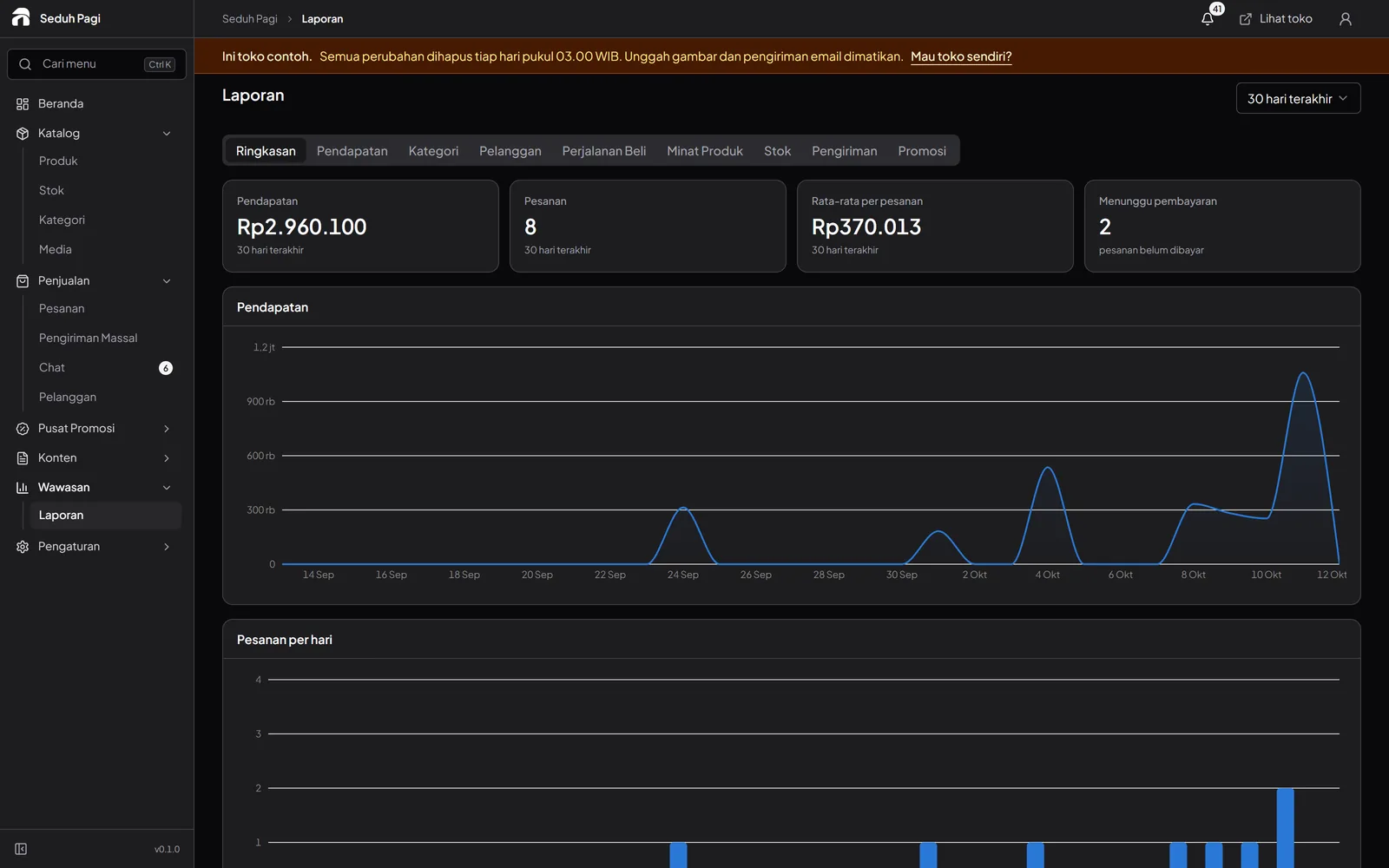
A useful summary on every plan.
View sales, revenue, products sold, and low-stock items. Choose 7, 30, or 90 days to review a period that suits your store's activity.
Open detailed reports on Brand.
Advanced reports cover sales by category and customer, shopping stages, delivery, and voucher or promotion results. These breakdowns help your team investigate the summary figures.
See what draws shoppers' attention.
Visitor analytics show popular products and searches when the analytics service is available in the store's deployment. Read attention data alongside orders: a frequently viewed product is not necessarily the best seller.
Turn reports into a next step.
Use stock reports to plan replenishment, category reports to review your catalogue, and promotion reports to assess completed campaigns. A single metric cannot establish why sales changed.
Compare reporting by planSee the store.
Try running it.
Explore the buyer's storefront and the seller's admin, then tell us what your store needs.